

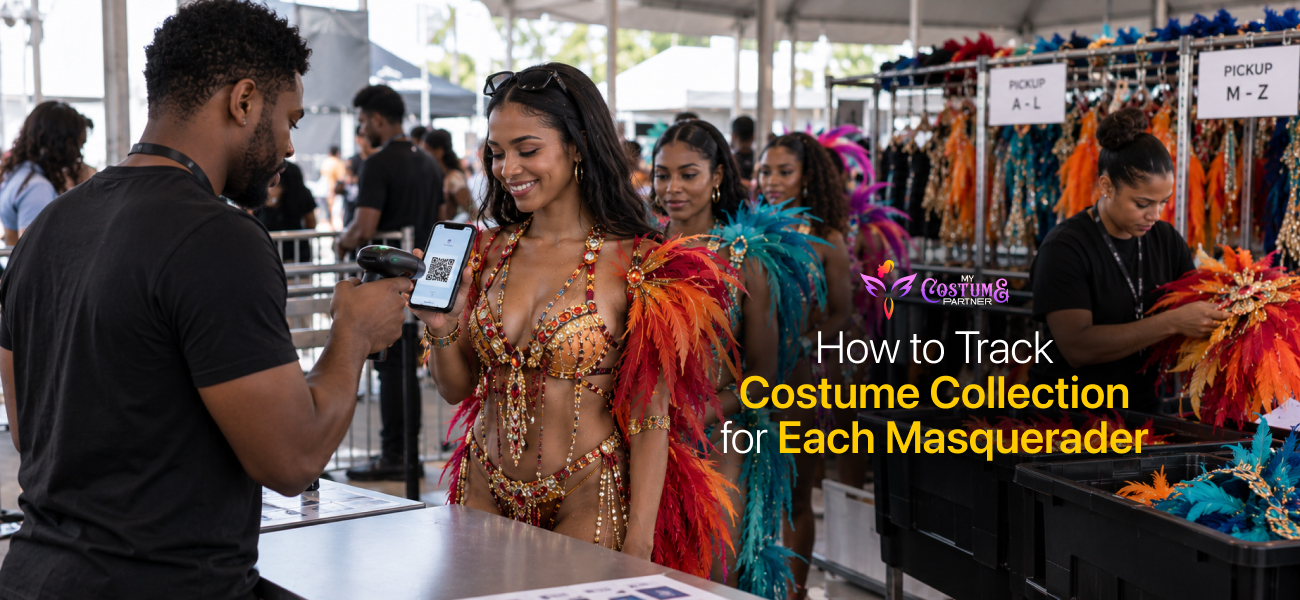
How to Track Costume Collection for Each Masquerader
To track costume collection for each masquerader on My Costume Partner, use the built-in fulfillment app on pickup day. A team member scans the masquerader's QR code at the entrance to check them in, adds them to a live queue, and marks their order as fulfilled once each item is handed over. Fulfilled orders update automatically in your Orders tab so your collection record is complete without any manual data entry.
Tracking who has collected on pickup day is one of the most important parts of running a carnival band. Without a live record, you end up with costumes handed over with no entry in the system, disputed pickups, and no way to know at the end of the day who still has not collected. My Costume Partner's fulfillment app handles this from the moment a masquerader joins the queue to the moment they walk out with their costume.
How the Fulfillment App Works
The fulfillment app is a three-step queue system designed for pickup day. Your team accesses it on their phones or tablets. Any team member you have given fulfillment access can use it. The three steps are scan in, queue, and fulfillment.
- Scan in. A team member at the entrance scans the masquerader's QR code from their order confirmation, or searches them by name. The masquerader is checked in and added to the live queue. They receive a WhatsApp message confirming their place in the queue.
- Queue. The masquerader waits in the holding area. The app shows the live queue so your team can see who is waiting and in what order. You can call multiple masqueraders through at once if you have the capacity.
- Fulfillment. When ready, a team member calls the masquerader in from the queue. Their order details and costume selections appear on screen. The team member confirms each item as it is handed over and marks the order as fulfilled.
Every fulfilled order updates automatically in the Orders tab, so your pickup record builds in real time without any separate admin work.
How to Set Up Your Team Before Pickup Day
- Go to the Team tab in your section dashboard.
- Click Invite Team Member and enter each person's email address.
- Set their access level to Fulfillment. This limits their view to the fulfillment app only, so they cannot change settings or see financials.
- Assign one person to scanning at the entrance and a separate team on the fulfillment side inside.
Keeping the entrance scanner and the fulfillment team separate is the single biggest thing that keeps pickup moving quickly. The queue view lets your fulfillment team see exactly who is next without needing to communicate back to the entrance. If a masquerader arrives and cannot be found by name or QR code, ask them to show their order confirmation. The guide on how to prevent duplicate registrations covers the common reasons a masquerader may appear under a different name or email in the system.
How to Notify Masqueraders Their Costume Is Ready
Before pickup opens, go to your Overview dashboard and use the fulfillment settings to mark costumes as ready for pickup. You can then send patron notifications directly from the dashboard. Masqueraders receive a message letting them know they can come and collect. This reduces the number of masqueraders arriving before their section is ready and helps spread the queue across your pickup window.
What to Check After Pickup Closes
After the distribution window closes, go to your Orders tab. Every order marked as fulfilled is recorded with a timestamp. Any confirmed registration not yet marked as fulfilled is an uncollected costume. You can download the orders report from the Reports tab to get a full list of collected and uncollected orders in one file.
Use the uncollected list to contact those masqueraders after pickup closes. The guide on how to organize carnival costume pickup and fulfillment covers the full reconciliation process, including how to match remaining costume stock against your uncollected records.
Frequently Asked Questions
How does My Costume Partner track who has collected their costume?
My Costume Partner uses a fulfillment app on pickup day. A team member scans the masquerader's QR code at the entrance to add them to a live queue. When their order is handed over, a team member marks it as fulfilled in the app. Fulfilled orders update automatically in the Orders tab, creating a real-time collection record for the entire band.
What is the fulfillment app on My Costume Partner?
The fulfillment app is a pickup day tool built into My Costume Partner. It runs a three-step process: scan in at the entrance, wait in a live queue, and fulfillment when the costume is handed over. Team members access it on their phones or tablets. It is designed to manage a large number of masqueraders collecting in a single window without manual record-keeping.
Can I see who has not collected after pickup closes?
Yes. After pickup closes, go to the Orders tab. Any confirmed registration without a fulfilled status is an uncollected order. You can also download the orders report from the Reports tab to export the full list. Use this to contact masqueraders who did not collect and manage your remaining costume stock. The guide on how to verify carnival costume pickup covers how to use this data to close out your season records cleanly.